Jack Bronx©

PlanCraft
PlanCraft: UI/UX design and Webflow development for an all-in-one productivity app landing page, featuring a high-converting feature mosaic, custom UI mockups, and a premium forest green visual direction.
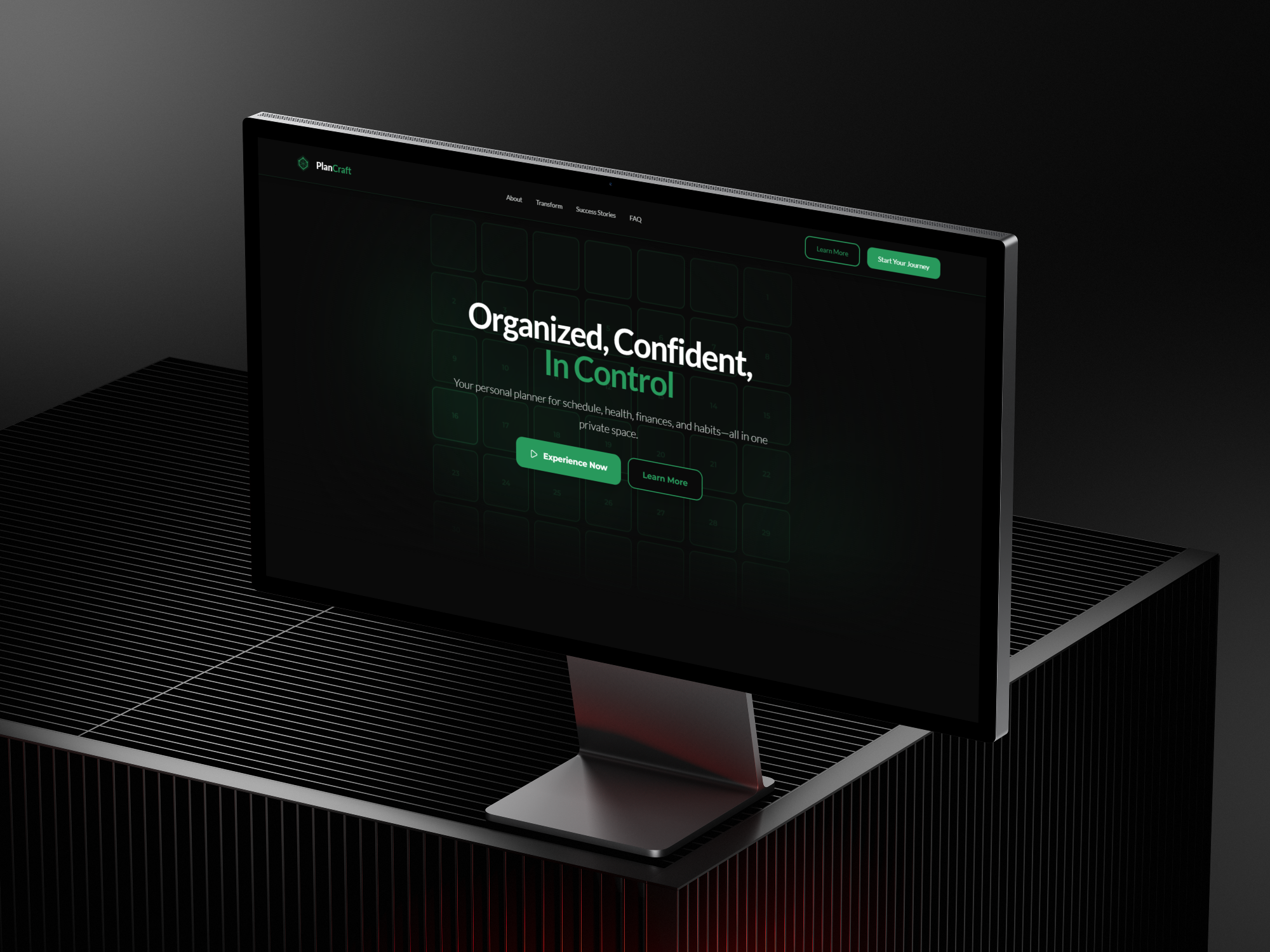
PlanCraft— Personal Productivity App & Landing Page
Role And Scope
- UI/UX Design
- Visual Direction
- App Design
- Webflow development
- Hand-off and documentation
Objectives
- Communicate a multi-feature product clearly in a single scroll
- Establish trust with a privacy-conscious, value-driven audience
- Showcase seven distinct tools without fragmenting the experience
- Drive sign-ups through a confident, momentum-building page structure
Approach
Students juggling deadlines and young professionals managing careers, finances, and wellness simultaneously. They've tried Notion, Google Calendar, and scattered apps — and they're tired of stitching things together. They want something that actually works for their whole life, not just one part of it.
Approach
The page is structured as a progressive case for the product: the hero lands the promise, a feature mosaic proves the breadth, individual tool sections go deep one at a time, a differentiation block handles the "why not just use Notion" question, and social proof closes with real reviews before the final CTA. Every section earns the next.
Design highlights
- Hero: three-line headline — "Organized, Confident, In Control" — with the accent on the payoff line. Supporting copy names the four pillars (schedule, health, finances, habits) in one sentence. Two CTAs: Experience Now and Learn More.
- Feature mosaic: three app mockups side by side introduce the core views — calendar, daily plan, and custom sections — with micro-labels calling out the key benefit of each.
- Seven tools section: each feature gets its own full-width panel with an app UI crop on one side and a name, description, and "See It In Action" link on the other. Daily Planner, Weekly Planning, Monthly Goals View, Money Tracker, Wellness Journey, Ideas & Notes Hub, and Custom Sections — each distinct, each justified.
- Why PlanCraft block: audience-specific positioning against the fragmented app stack. Leads with "built for real life — not productivity fantasies."
- Testimonials: real reviews pulled from Etsy and verified purchasers, presented as floating cards with star ratings. Grounded and specific.
- FAQ: two-column accordion covering privacy, pricing, cross-device access, offline use, customization, and comparisons to Notion and Google Calendar.
- Final CTA: "Start Your Journey to Better Organization" with a single Get Started button.
Visual language
- Type: strong geometric sans for headlines with a confident weight contrast. Green accent on the payoff words in every major heading — a consistent visual rhythm down the page.
- Color: deep black base with a rich forest green as the sole accent. The combination reads as premium and focused — nothing clinical, nothing corporate.
- Imagery: custom app UI crops shown in both mobile and desktop frames. Every mockup is a real screen, not a generic placeholder. Atmospheric glow effects and lens flares add depth without noise.
Interactions
The page has energy without chaos. Sections reveal on scroll, CTAs elevate on hover, and the feature panels alternate layout to keep the eye moving. The "See It In Action" links give curious users a path to go deeper without disrupting the main flow.
Accessibility and performance
- Clear contrast on all text, legible sizing across breakpoints, and keyboard-accessible navigation.
- Footer carries the product's core promise in three words: Secure, Private, No Tracking — trust signals that matter to this audience.
.jpg)
%20(1).png)
The landing page gave PlanCraft a product presence that matches its ambition — turning a feature-rich app into a coherent, desirable thing visitors want to try.
Best productivity app I've ever used. The interface is beautiful, everything syncs perfectly, and I actually enjoy planning my day now. Worth every penny."— James Wilson, Verified Purchaser
Services delivered
App design, landing page design, UI/UX design, visual direction, Webflow development, interaction design, hand-off docs.
Tools
Figma for design and prototyping, Webflow for build, custom motion for scroll interactions.

